
AI transcription in 3 steps: turn audio into insights with Sintesy
You’ve probably been here:
- you record a meeting “just in case”
- you get a WhatsApp voice note with an important detail
- you record a full lecture thinking you’ll review it later
Then life happens.
Days pass. The audio stays there. And when you finally need that information… it’s trapped.
The truth is: recording is easy. What hurts is:
- re-listening to everything
- not finding the exact minute
- losing decisions, dates, and action items inside an audio file
That’s why people keep searching for things like:
- “AI transcription”
- “audio to text”
- “meeting transcription”
- “voice note to text”
- “summarize audio automatically”
Sintesy exists to fix this: turning voice into searchable, organized, actionable notes.
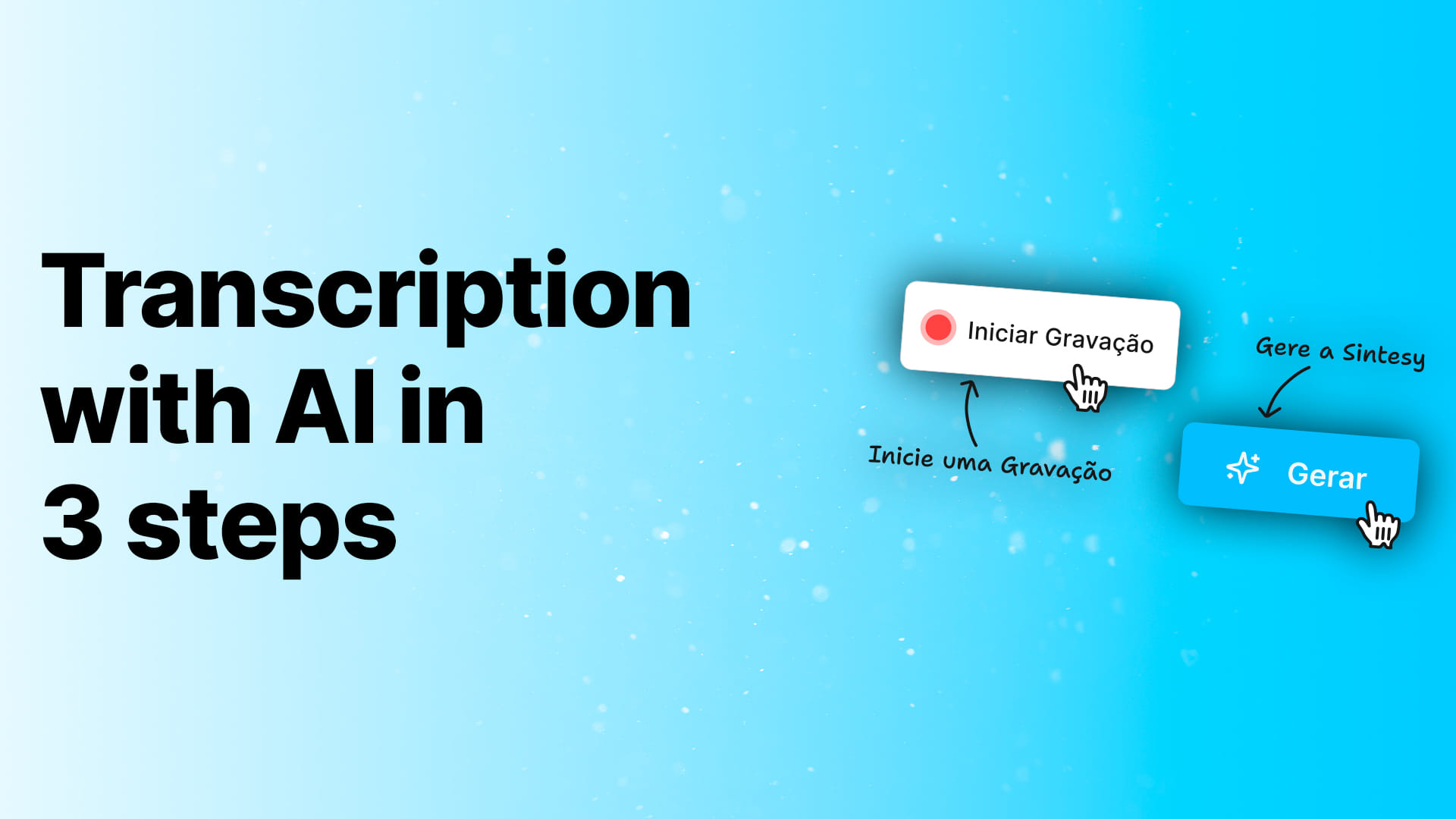
Here’s the simplest workflow possible — 3 steps.
Why AI transcription is a turning point (not a nice-to-have)
Most people think transcription is about turning audio into text. In practice, it’s about turning time into leverage. When your knowledge is trapped in recordings, you pay twice: you spend time in the moment recording, and then you spend time again later trying to extract meaning—replaying the same minutes, hunting for the same details, and mentally reconstructing what happened. That double work is what slowly makes recording feel “not worth it”, even when you know the content is valuable.
AI transcription breaks that loop. It turns audio into something you can search, skim, reuse, and share.
For students, it means lectures become structured study material. For teams, it means meetings become decisions and action items. For creators, it means raw voice notes become scripts and articles.
What to look for in the best AI transcription app (quick criteria)
Not every “audio to text” tool is useful in real life. The best voice transcription tools deliver more than a transcript. They handle accuracy in real conditions (background noise, distance, multiple speakers), and they make everything searchable so you can jump to the exact moment by keywords. More importantly, they give you structure—topics, sections, and summaries—so you don’t end up with a wall of text. And when the goal is work, not archiving, the tool needs to extract action: next steps, tasks, deadlines, and owners, plus easy exporting and sharing in formats people actually use (like PDF/DOCX).
This is the bar Sintesy is designed to hit.
Start now (direct links)
- Dashboard (web): https://dashboard.sintesy.me/
- Android (Google Play): https://play.google.com/store/apps/details?id=com.sintesy.sintesy_app
Step 1: Record (or upload audio/video)
Most people start the same way: with a loose recording. The point is to start with what you already have, without changing your routine.
You can use Sintesy to record a lecture, meeting, talk, brainstorm, or planning session; upload an audio/video file you already have; transcribe content in any language; and turn quick ideas into structured notes you can actually reuse. The goal is to remove friction: you shouldn’t need a “perfect workflow” to get value—just a recording.
Practical tip: the clearer the audio, the better the result. But Sintesy is built for real-world conditions (noise, distance, multiple speakers).
If you’re recording a meeting, place your phone roughly between speakers.
Step 2: Generate the AI analysis (transcription + summary)
After recording (or uploading), just hit Generate.
Sintesy’s AI doesn’t just transcribe. It understands and organizes.
It transcribes the content, extracts the key points, and organizes everything by topics and sections so it reads like a document. When it makes sense, it turns parts of the conversation into lists and checklists, and it highlights dates and next steps—so you can move from “what was said” to “what we do now” without extra work.
The goal isn’t to give you a wall of text. It’s to give you something you can read in minutes and instantly understand:
- what was decided
- what needs to happen next
- what’s context vs. what’s action
That’s what turns transcription into productivity.
Step 3: Save, share, and reuse
This is where transcription becomes an asset. Instead of an audio file that ages, you get a document.
Once your Sintesy is ready, you can review and edit it like a normal note, share it with your team, export it to useful formats (PDF/DOCX), and store it as a searchable knowledge base you can rely on later. This is where the value compounds: the more you capture, the easier it gets to find and reuse what matters.
In practice, this solves a huge pain: you stop re-listening and start working with the content.
Once your transcripts become searchable, they start compounding. You can build a personal knowledge base for your work and studies—without manually organizing everything.
Real examples of what you can do with a Sintesy
In real life, this looks like summarizing meetings into decisions, action items, and owners; turning lectures into topic-based study notes; producing project or launch plans that naturally become checklists; converting recordings into chronological video scripts; and even turning YouTube videos into article-style notes so you can consume and reuse content much faster.
Best practices to get better transcripts (and better output)
AI is powerful, but inputs still matter. If you want consistently high-quality results:
Reduce background noise when you can (sometimes changing seats is enough), say names and decisions out loud (“We decided X”, “John owns Y”), record in longer chunks so the AI keeps better context, and save with intent by renaming notes and adding a one-line description. These small habits make transcripts cleaner and summaries dramatically more useful.
What changes when you do this every day (not once in a while)
Most people don’t need “another app”. They need a system that prevents information loss.
When you consistently turn audio into text with AI, a shift happens:
- meetings stop disappearing
- lectures become study material
- ideas stop relying on memory
The result is simple: you work and study with less rework.
Frequently asked questions (SEO)
How do I turn a voice note into text?
Upload the voice note to Sintesy, generate the transcription and summary, and save it so you can search it later.
What’s the best AI transcription app?
The best one is the one that doesn’t just transcribe, but also organizes (topics, checklists, and next steps). If you want practical output for work and study, Sintesy is built for that.
How do I transcribe a meeting automatically?
Record the meeting, generate the AI analysis, and save the result. The real value is leaving with clear decisions and action items—not just text.
Conclusion
In 2026, AI transcription isn’t just “audio to text”.
It’s turning audio into decisions, actions, and knowledge.
If you want a simple workflow (record → generate → use), Sintesy is built for exactly that.
- Open Dashboard: https://dashboard.sintesy.me/
- Get it on Android: https://play.google.com/store/apps/details?id=com.sintesy.sintesy_app